"git reflog" has saved more careers than any framework
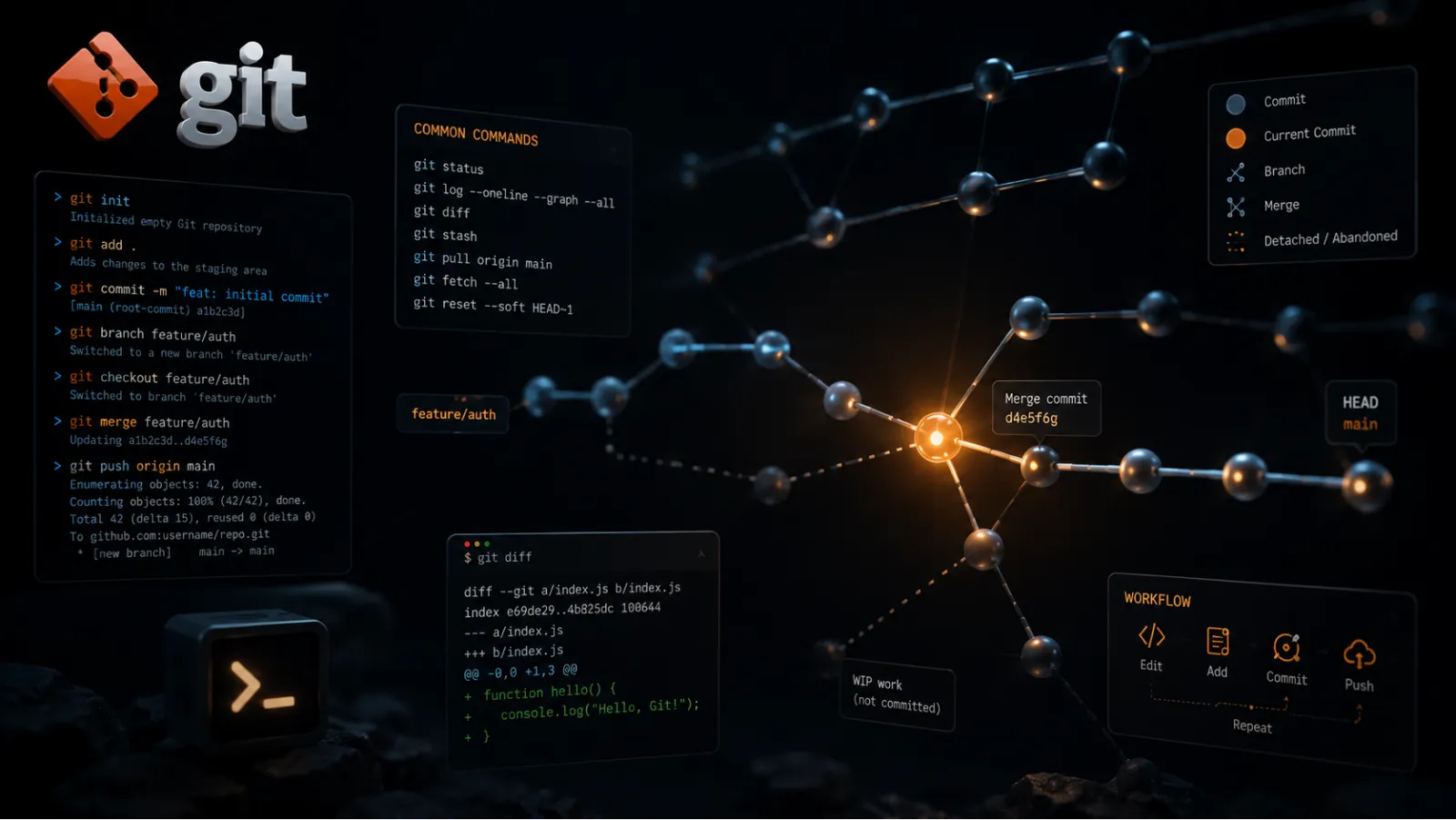
Most developers know four git commands.
add, commit, push, pull. Maybe checkout on a good day.
This works right up until the moment it catastrophically does not, at which point the industry-standard recovery procedure is to copy your entire project folder to the desktop, delete the repo, clone it again, and paste your changes back in one file at a time.
Be honest. You have done the desktop thing.
The frustrating part is that git already has a proper answer for almost every one of those moments. The commands just have terrible names and documentation written for people who already understand them, so nobody ever learns them.
Here are the ones actually worth knowing.

git reflog is the undo button for git itself
You reset the wrong branch. Or rebased badly, or deleted a branch that turned out to matter. Commits are gone and your stomach drops.
They are almost certainly not gone.
Git quietly records everywhere HEAD has been — every commit, checkout, reset, merge and rebase you have made locally. Not the tidy history you just rewrote. The actual movements.
git reflogYou get a list of entries like HEAD@{0}, HEAD@{1}, each labelled with what happened. Find the moment before you ruined everything, then go back to it:
git reset --hard HEAD@{4}That is it. You are back.
Those entries stick around for roughly 90 days by default. So for about three months, the work you were convinced you had destroyed is sitting on your own machine, waiting for you to ask for it.
If you take one thing from this post, take this one.
git bisect finds the commit that broke it
The feature worked in March. It is broken now. There are 400 commits in between and no one has any idea which one did it.
The instinct is to check them one at a time, which is 400 checkouts and your entire Thursday.
Git can binary search instead. For 400 commits that is nine steps.
git bisect start
git bisect bad                # right now is broken
git bisect good v1.2.0        # this tag definitely worked
Git checks out a commit halfway between the two. You test it and tell it what you found:
git bisect good # or: git bisect badIt halves the remaining range and repeats until only one commit is left, then tells you exactly which one introduced the bug. Run git bisect reset to return to where you started.
And if your test can be scripted, you do not even need to be in the room:
git bisect run npm testGo make coffee. It will have found the commit by the time you are back.
The three resets, explained once, properly
git reset confuses people because it does three genuinely different things depending on a flag nobody bothers to explain.
All three move your branch pointer backwards. The difference is what happens to your files:
--soft— commits undone, changes kept and still staged. Use it to redo a bad commit message or squash a few commits into one.--mixed— the default. Commits undone, changes kept but unstaged. Use it when you want to re-split the work into different commits.--hard— commits undone, changes destroyed. Your working tree matches the target commit exactly.
Only --hard throws work away. And even then, you have just learned about reflog.
git stash is for the wrong-branch moment
You have been coding for an hour. You look up. You are on main.
git stash                       # changes set aside, tree clean
git checkout -b the-branch-you-meant
git stash pop                   # changes come back
Add -u if you want untracked files included. That is the part people miss, and then spend ten minutes wondering where the new file they just created went.
One warning: stashes are easy to forget about. Run git stash list occasionally, or you will eventually find three-month-old work you assumed was lost forever.
One flag that prevents the worst outcome
Force-pushing is how most genuinely bad git days start.
git push --force overwrites the remote branch with your version, including the commits your teammate pushed twenty minutes ago. Those are not recoverable from your reflog, because they were never on your machine.
Use this instead:
git push --force-with-leaseIt does the same thing, but refuses if the remote has changed since you last fetched. One extra word, considerably fewer apologies in Slack.
Where Forke fits
This stuff stops being optional the moment you work in a repo you did not set up.
On a bounty you are branching off someone else's main, keeping your history readable enough that a stranger can review it, and occasionally digging through a codebase to work out when something broke. That is exactly what bisect and reflog are for.
None of these commands are advanced. They are just the ones nobody teaches, because tutorials stop at push and assume you will pick up the rest by osmosis.
You will not. You will copy the folder to your desktop.
Learn the five commands above and you can stop doing that.